
In this article
Connected products · A builder’s field guide
An idea becomes easier to test when it can do one useful thing with information a customer already trusts. MCP can provide that connection. The product decision is choosing which small action deserves to exist.
Imagine a training coordinator preparing tomorrow’s workshop. She has a room, a topic and twelve learners, but the material she needs is scattered across an approved resource library. A generic assistant can suggest activities. A connected product could find the actual exercises her organization permits, explain why they fit and return the source links. That is a concrete product promise, small enough to demonstrate and specific enough to evaluate.
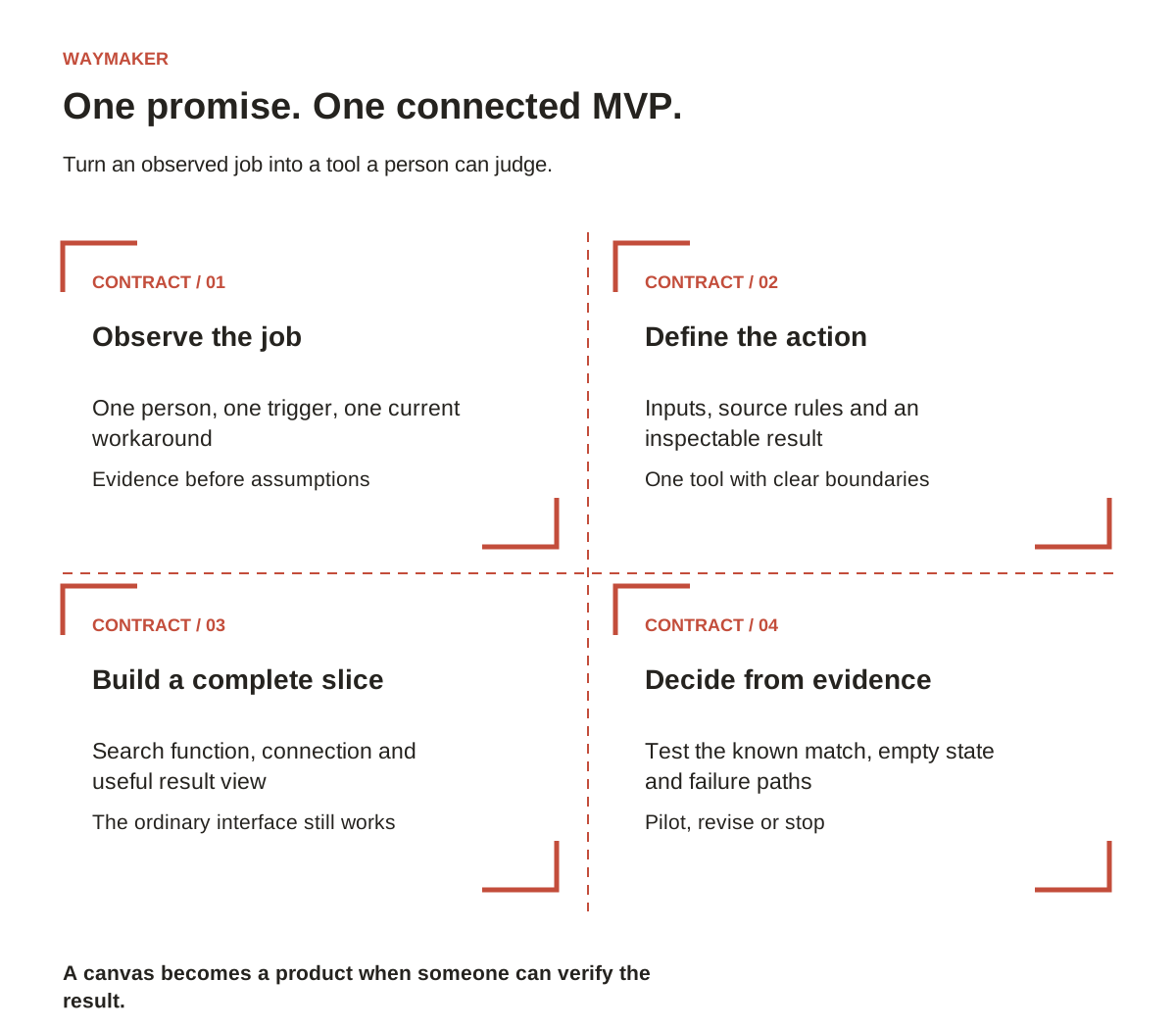
This guide develops that fictional example into a connected MVP. Use the accompanying Connected MVP Canvas to make the same decisions for your own product: who needs it, what the tool may do, which evidence supports its answer and what must be true before you release it.
1. Start with a job that ends in a visible result
“An AI assistant for trainers” leaves almost every decision open. Replace that category with a situation: “When a coordinator has a 30-minute beginner session, help her find two approved activities she can review before teaching.” Now you can identify the necessary inputs, observe the current workaround and name a useful outcome.
Write your promise without mentioning the technology. Include the person, the trigger, the result and the remaining human decision. For this example: a coordinator supplies a topic, level and available minutes; the product returns eligible resource cards; the coordinator selects what to teach. The MVP does not schedule the session, email learners or generate a new curriculum.
Interview someone who does the work. Ask them to show the last time it happened. Watch where they search, how they decide a source is current and what makes a suggestion unusable. Record the exact moment they stop trusting the answer. An elegant connection to a neglected library will reproduce the library’s problems.
In the canvas, separate an observed problem from an assumption. “Three coordinators showed me their search process” is evidence. “All training teams would pay for this” is an untested belief. Both can be written down; they should not carry the same weight in your launch decision.
2. Choose where the action belongs
Model Context Protocol connects an AI application to capabilities exposed by a server. The host application uses an MCP client to communicate with that server. A tool can wrap an existing search function or API. You do not need to build a new database simply to create an MCP server.
WebMCP addresses a different situation: actions exposed by an open webpage. Chrome’s current imperative API registers named tools through document.modelContext. Browser availability remains experimental, so the ordinary interface must still work. A page tool does not require you to launch a separate remote MCP service.
| Your first useful experience | Practical starting point | What to preserve |
|---|---|---|
| Ask an assistant to search approved resources across services | An MCP server around the approved search function | Source permissions and stable resource IDs |
| Ask a browser agent to filter the catalog already on screen | A WebMCP experiment on that catalog page | The visible filter form and selected session |
| Let a person search without an assistant | The existing search interface or a small ordinary form | A direct route to the same result |
Choose the smallest route that puts the promise in front of a user. If the manual form has never produced a useful answer, adding agent access is a premature expansion. First make the resource cards helpful; then expose the same underlying search through the chosen connection.
3. Try an existing connection before writing your own
A short discovery exercise can reveal whether the missing piece is connectivity or product logic. Choose an official integration for a source your team already uses. Follow that provider’s setup instructions in a compatible assistant, confirm the intended account and inspect the tools it makes available. Start with a request that reads a small, known record.
Use a prompt with a checkable answer: “Find the approved introductory exercise about spreadsheet filters. Return its title, source link, level and stated duration. If a field is missing, label it missing.” Open the source and compare every field. Then try an item you know does not exist. A useful result must handle absence as deliberately as a successful match.
If the integration already returns exactly what your customer needs, your first product may be a carefully designed workflow and presentation rather than a custom server. If it returns raw documents while your customer needs eligibility rules, freshness checks and consistent resource cards, you have a clearer reason to build a narrow tool.
Keep a record of what happened: the request, the returned result, the source comparison and the next decision. “The connection worked” is too vague. “It found the right item but omitted the approval date” tells the builder what to improve.
4. Give one tool a precise contract
For the fictional resource library, call the tool find_approved_resources. Its description should state the job and its boundary: find approved learning resources matching a topic, level and maximum duration; return candidates for review; do not enroll learners, modify resources or send messages.
The contract is a compact agreement between the product team and the implementation. Specify required inputs, acceptable values, returned fields and failure behavior. Do this before choosing a framework. A tool with vague inputs will push ambiguity into the assistant’s guesses.
| Contract element | Example decision |
|---|---|
| Inputs | Topic: 1–80 characters after trimming. Level: beginner, intermediate or advanced. Maximum duration: a whole number from 5 to 120 minutes. |
| Matching | Only currently approved resources; exact level; duration no greater than the available minutes. Explain this rule in the interface. |
| Results | Stable ID, title, level, duration, source URL and approval date. Return an empty list when nothing qualifies. |
| Missing information | Exclude records missing a required eligibility field and report how many were excluded. Do not invent a duration. |
| Access | The service checks the caller’s permitted collection before searching. A tool description is not permission enforcement. |
Keep your example schema distinct from working code. The downloadable contract is a product specification; a developer must implement its rules and connect it to a real source. This distinction lets a nontechnical builder contribute useful design work without mistaking a JSON document for a deployed integration.
5. Build the smallest complete slice
Begin with a tiny fictional catalog containing a clear match, an unapproved item, a long item, a missing field and an unrelated item. Implement the search as an ordinary function. Exercise that function directly before wrapping it in a protocol. This makes business-rule failures easier to locate.
Next, add the server wrapper using an official SDK and a version you deliberately choose. The AI Teachers MCP lab provides a runnable Python example, connection instructions and tests. Its pinned learning environment is a starting point; review the SDK’s current documentation when selecting dependencies for a new product.
Expose the function as one tool, supply its input schema and return structured results. Connect a client, confirm that it discovers the intended tool and call it with the known fixture. Then add the real source adapter. Keep credentials in the service’s configuration and apply the same access rules as the normal product path.
If your first experience is a catalog webpage, reuse the same business function behind its form and experimental WebMCP tool. Feature-detect the browser API, unregister the tool when its document lifecycle ends and retain the form when the API is unavailable. The browser route should preserve the product’s visible state rather than creating a second, inconsistent catalog.
Finish the slice with a result a person can inspect: title, relevant attributes, source link and a clear empty state. A raw tool response demonstrates plumbing. A usable result lets you test whether the product actually helps.
6. Test the promise, including its edges
Use the acceptance matrix in the kit to separate three questions. Does the function follow the eligibility rules? Does the assistant choose and call the correct tool? Can the person decide what to do with the result? A passing test in one layer does not answer the other two.
For the resource finder, test a normal topic, leading spaces, an unknown topic, an invalid level, missing duration and an expired approval. Check that an inaccessible collection never appears. Ask for a resource longer than the available session and confirm the system does not quietly relax the limit.
Also test an understandable request that your MVP excludes: “Send these activities to everyone attending tomorrow.” The product should explain that it finds resources for review and leave the user with a useful next step. An out-of-scope request is valuable research; it is not an instruction to add another tool immediately.
Invite a prospective user to complete the task without coaching. Observe which fields they misunderstand, whether they open the sources and whether they can identify why a candidate qualifies. Collect their exact objections. “I need printable material, not a video” could change the contract more than a new model would.
7. Make a release decision you can defend
Before the pilot, write the conditions for continuing. For example, a team might require every fixture rule to pass, no cross-collection disclosure, and a coordinator to complete a supervised search using the returned evidence. These are proposed criteria for this example, not a universal threshold or a claim about measured results.
Use three decisions: proceed with a limited pilot, revise a named weakness, or stop this approach. Attach the evidence to the decision. If users still need a second search to verify basic details, revise the returned fields. If the underlying library is out of date, address ownership of the data. If the job rarely occurs, reconsider the opportunity.
Assign someone to maintain the source, someone to own the tool and someone to review user problems. Define what happens when the source is unavailable. A connected MVP is a promise about ongoing behavior; the first successful demonstration is only one observation.
Use the Connected MVP Canvas
Set aside one focused working session. Complete the job story and evidence fields first. Fill the tool contract with one action, then write the cases that would prove it wrong. Use the filled fictional example as a guide, replacing every assumption with your own observations or an explicit research question.
The pocket product includes a one-page planning canvas, an editable tool contract, an acceptance matrix and a launch decision memo. Save your completed version and share it with the person building or reviewing the integration. The useful output is a shared definition of what the product will do—and the evidence that will tell you whether it deserves to grow.
Technical references
- Official MCP architecture
- Official MCP SDK directory
- Chrome: WebMCP imperative API
- AI Teachers: tested MCP and WebMCP tutorial
Explore another application
- The Wealth Experiment: From one useful AI connection to a pocket product people can evaluate
- AI Side Hustle: Build your first MCP-assisted client service in a seven-day sprint
- OutcomeDriven: Did the agent actually help? A practical MCP workflow experiment
- MarketingCoach: Give your marketing agent the evidence before you give it the controls
- CodeTeachers: Build a resource-finder MCP server—and prove it works
Ready to put this into action? Waymaker helps you go from idea to your first paying customer, with AI doing the heavy lifting alongside you.
Start building free